Player, Server & Vehicle HUD
FiveM HUD system designed for high-pressure RP sessions, combining player vitals, server economy/status, and vehicle telemetry in one low-distraction interface.
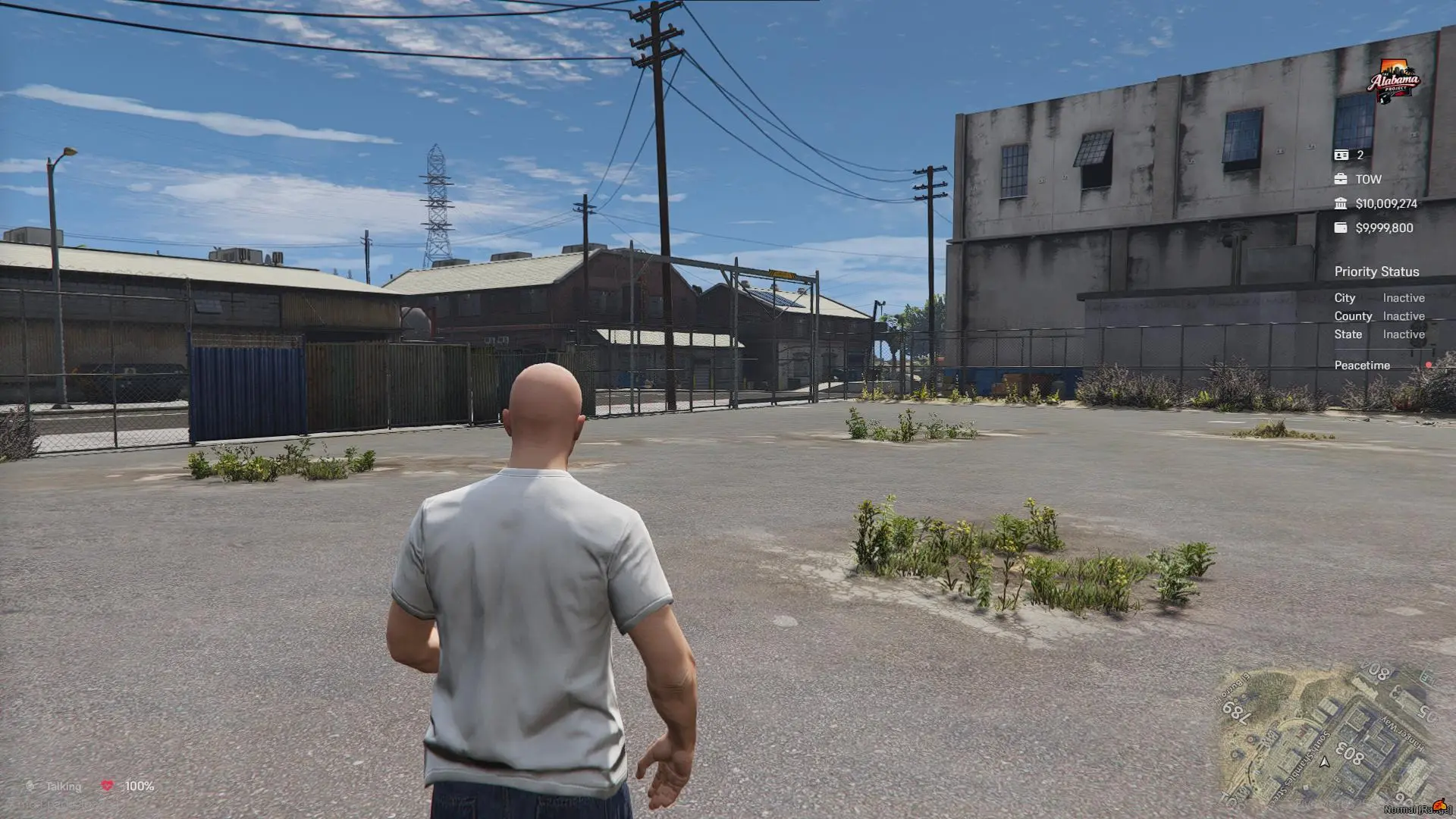
Preview
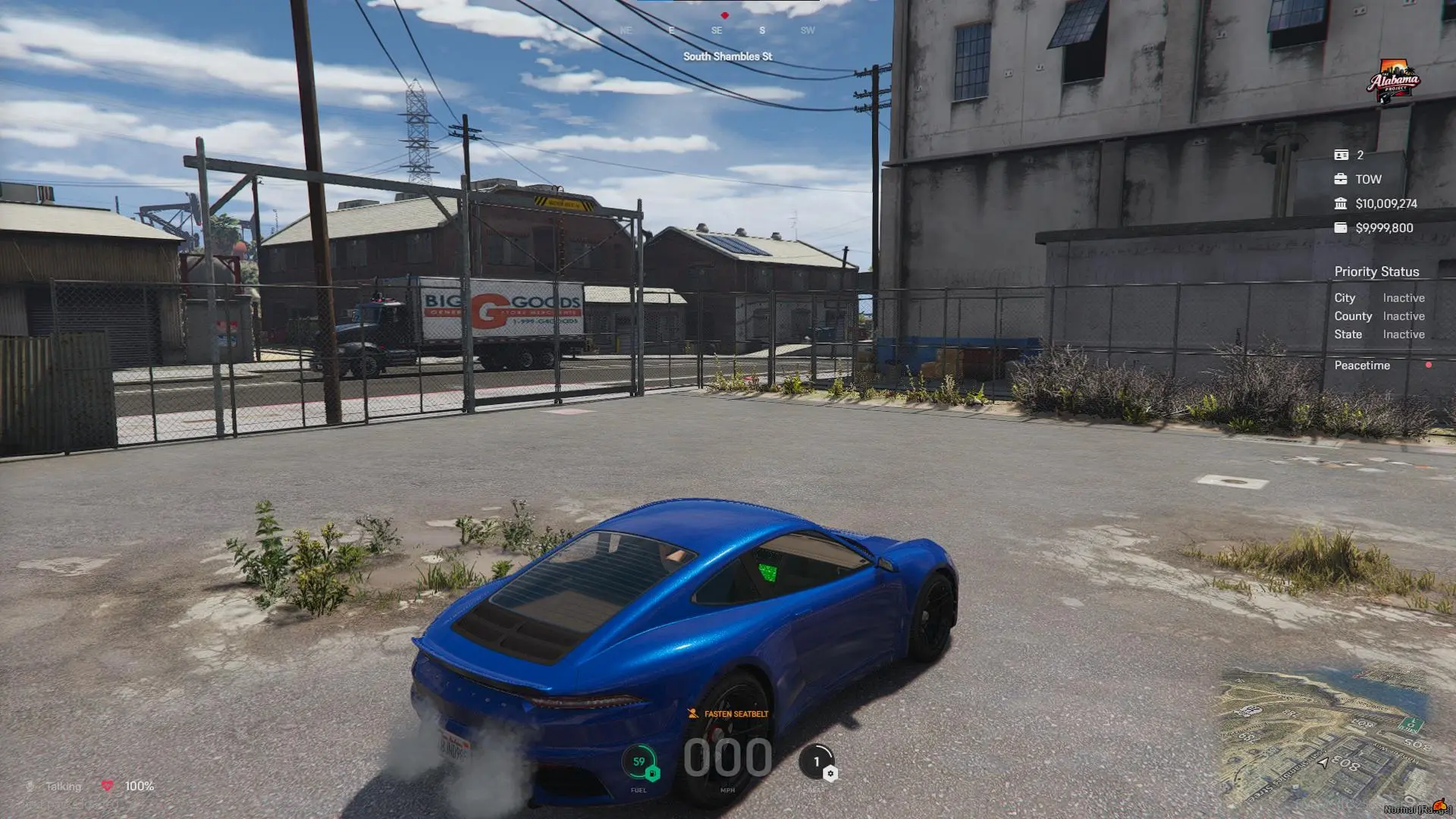
Vehicle state layer activates while driving and introduces speed, seatbelt, gear, and fuel telemetry without obscuring road visibility.
On-foot view surfaces health/comms on the left, map context at the bottom-right, and server/economy state at the top-right.
Context
This HUD was built for a FiveM roleplay server where players constantly switch between on-foot interaction, vehicle driving, and economy-focused tasks. The previous interface was visually noisy, inconsistent across states, and hard to parse during high-pressure gameplay.
I handled UX direction and implementation with a focus on three synchronized layers: player status HUD, server/status panel, and a context-aware vehicle HUD that appears only when relevant.
Problem
The old HUD stack created gameplay friction:
- Player vitals and communication state were not consistently visible.
- Vehicle data either cluttered the screen full-time or appeared too late.
- Server context (player count, faction, economy) lacked hierarchy.
- Important alerts had weak contrast and poor glanceability.
The core need was a single HUD system that improves decision speed without sacrificing immersion.
Users
- Roleplay players managing health, comms, and situational awareness.
- Drivers who need immediate telemetry during pursuits and navigation.
- Server staff and faction players tracking status and economy context.
Product Goals
- Keep critical information readable in under a one-second glance.
- Separate persistent information from context-specific overlays.
- Avoid visual overload while preserving RP-style immersion.
- Ensure smooth behavior across different resolutions and client performance levels.
UX Strategy
The UX direction prioritized operational clarity over decorative complexity:
- Group information by player intent: survival, navigation, economy, and driving.
- Reserve center-screen space and edges with highest gameplay sensitivity.
- Reveal vehicle telemetry only when inside a vehicle.
- Use contrast and typography scale to make warnings and high-value numbers pop.
Solution Overview
The delivered HUD system combines three coordinated surfaces:
- Player HUD with health and communication indicators.
- Server HUD panel for identity, status, and economy metrics.
- Vehicle HUD module with speed, gear, fuel, and seatbelt state.
Information Hierarchy
The hierarchy was designed by urgency:
- Immediate survival/comms information stays anchored to the lower-left.
- Vehicle telemetry is centered low for fast eye travel while driving.
- Server and economy data is grouped in a compact right-side column.
- Spatial orientation remains on the minimap in the lower-right.
This reduced scan distance and made state changes easier to notice in active sessions.
Player HUD
The player layer handles always-relevant signals:
- Health status and survival indicators.
- Voice/comms state for team coordination.
- Lightweight indicators that remain legible without covering interaction hotspots.
Server HUD
The server panel communicates administrative and economy context:
- Connected player count and role/faction label.
- Cash and bank balances with clear numeric priority.
- Priority and civic status flags shown as low-noise secondary rows.
- Local time indicator for roleplay scheduling and event awareness.
Vehicle HUD
Vehicle-specific telemetry appears on entry and disappears on exit:
- Real-time speed readout with high-contrast numerals.
- Seatbelt prompt state for safety and law-enforcement RP flows.
- Gear indicator and fuel level grouped with driving metrics.
- Layout tuned to avoid overlap with minimap and world-space action.
Technical Architecture
- Runtime: FiveM resource client scripts for state detection and updates.
- UI: NUI layer built with HTML/CSS/JS for rendering and transitions.
- Messaging: Lua-to-NUI postMessage bridge for low-latency state sync.
- Performance: Throttled updates and conditional rendering by player context.
Architecture choices prioritized frame stability and readability before adding advanced cosmetic effects.
Validation
Validation was performed in live gameplay scenarios:
- On-foot interaction and combat transitions.
- Rapid vehicle entry/exit edge cases.
- High-speed pursuit readability checks.
- Economy and status value updates during active sessions.
Outcome
- Faster player recognition of critical status changes during gameplay.
- Cleaner visual separation between persistent and contextual HUD elements.
- Improved driving awareness from centered, glanceable telemetry.
- Lower confusion around server status and economy visibility.
Lessons Learned
- Conditional UI is more effective than trying to display all data at once.
- Numeric hierarchy matters more than adding more decorative iconography.
- HUD clarity directly affects player confidence in high-pressure moments.
Next Iteration
- Add editable layout presets for different player preferences.
- Introduce color-safe modes for accessibility and contrast sensitivity.
- Expand telemetry hooks for advanced vehicle and mechanic systems.